
1. Updating Hero Section
Update hero titles carefully to prevent layout overflow.
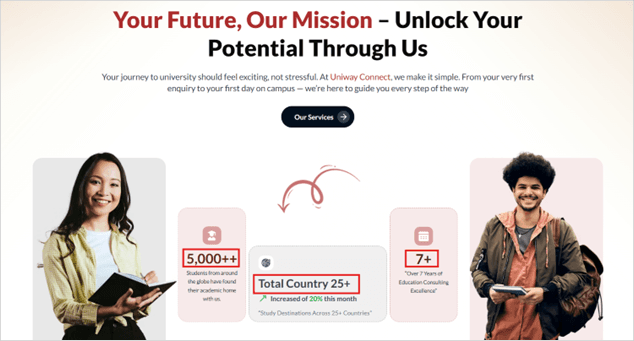
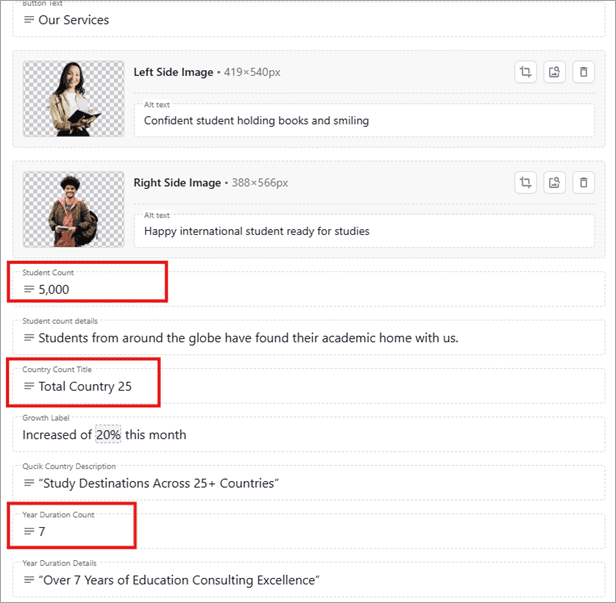
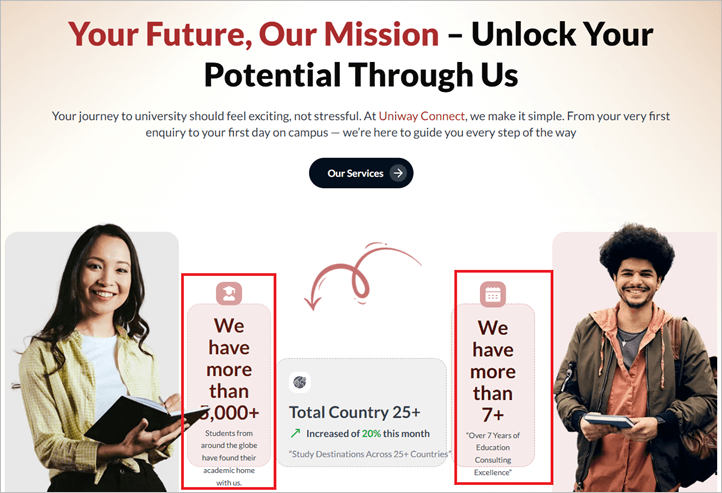
Rules
- Keep each title (Feature Label) to a maximum of 2 lines.
- The + symbol is automatically appended after the Title / Count.
2. Updating About Section
Keep headings and descriptions concise so the layout stays clean.
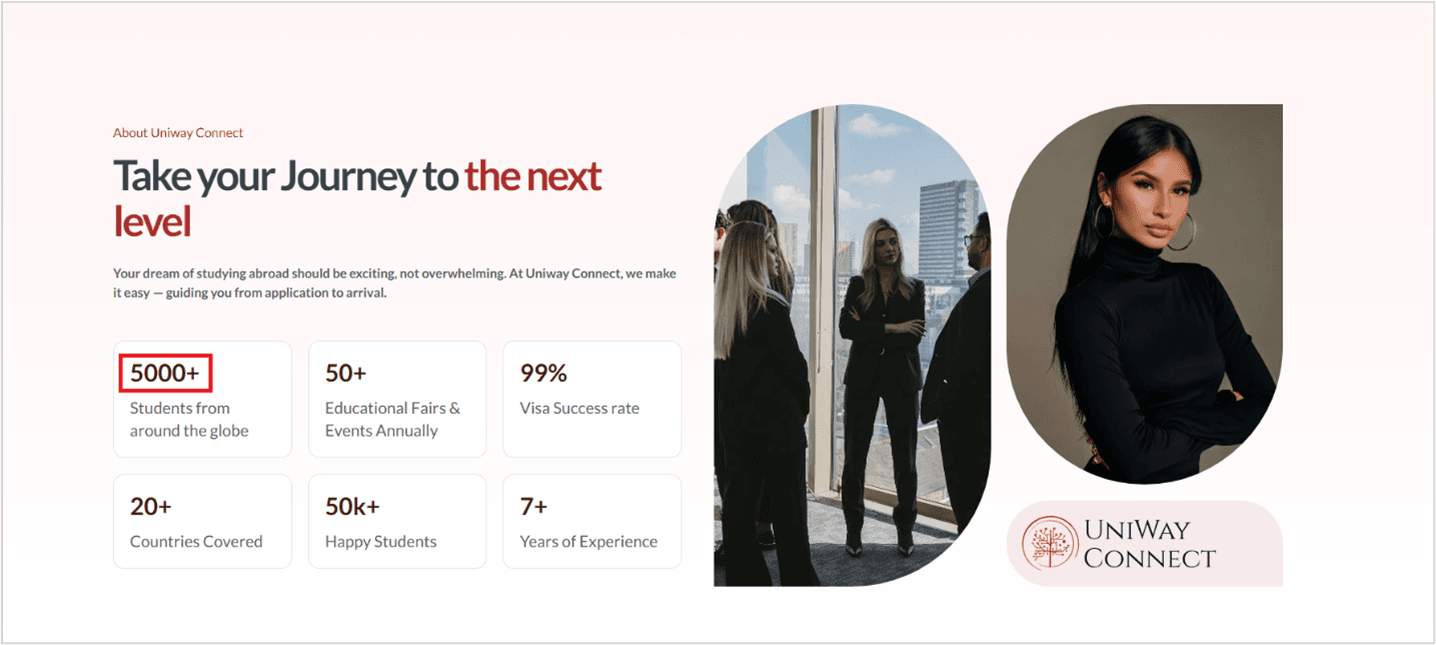
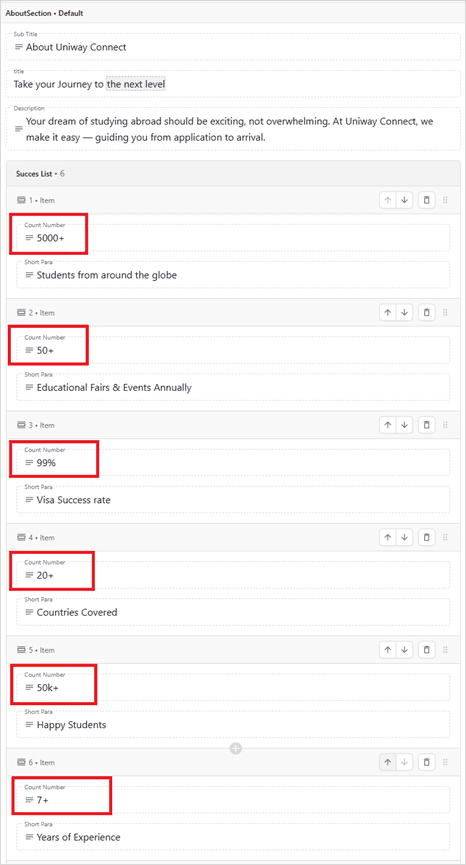
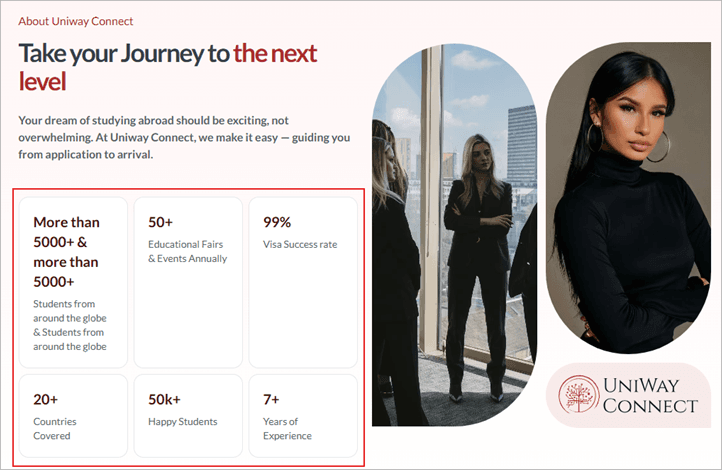
Issues to watch
- Long headings can wrap and misalign the section.
- Overly long paragraphs can push content out of balance.
3. Updating Solution Section
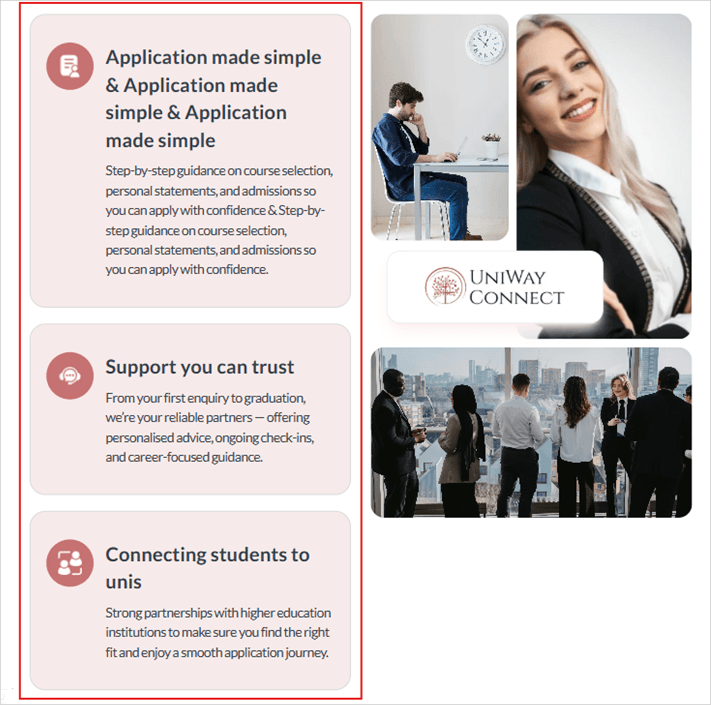
Keep solution titles short and maintain a consistent structure.
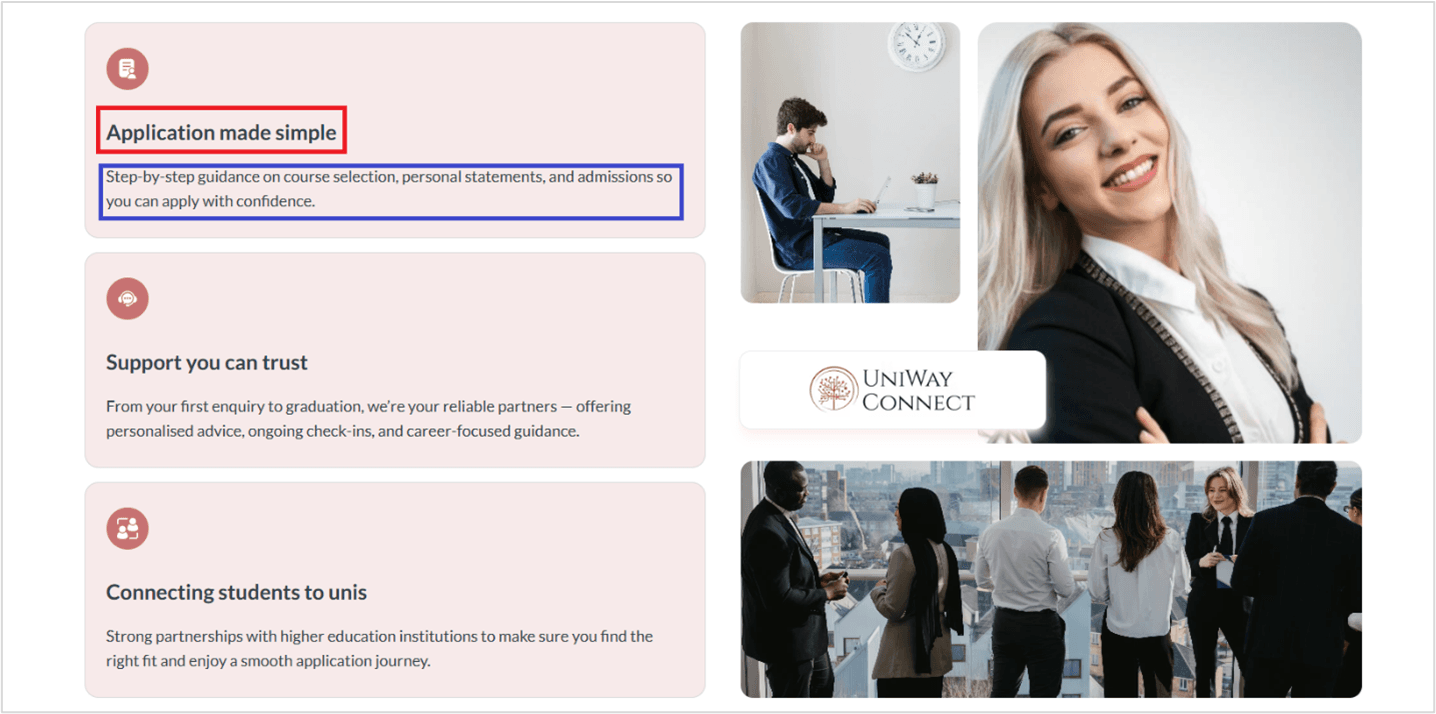
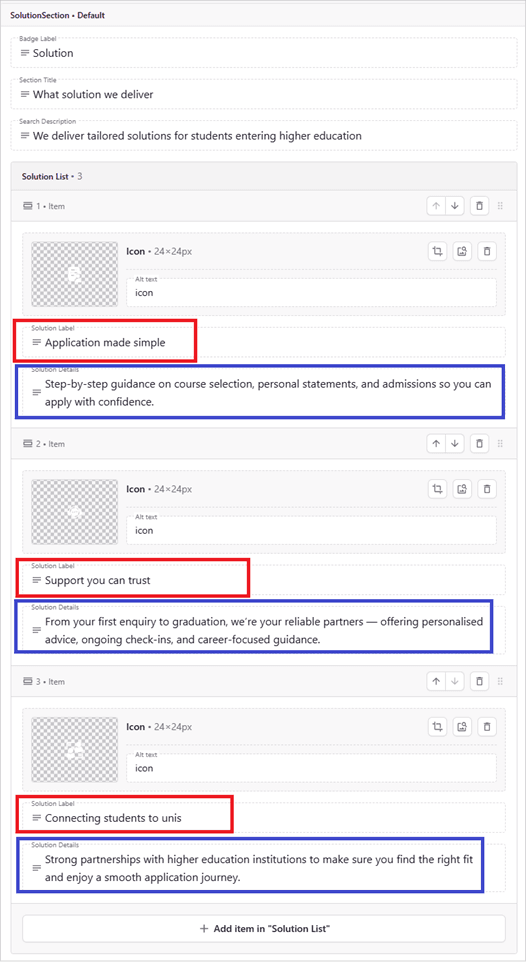
Rule
Keep the Solution Label to a single line on the website.
4. Updating Why Section
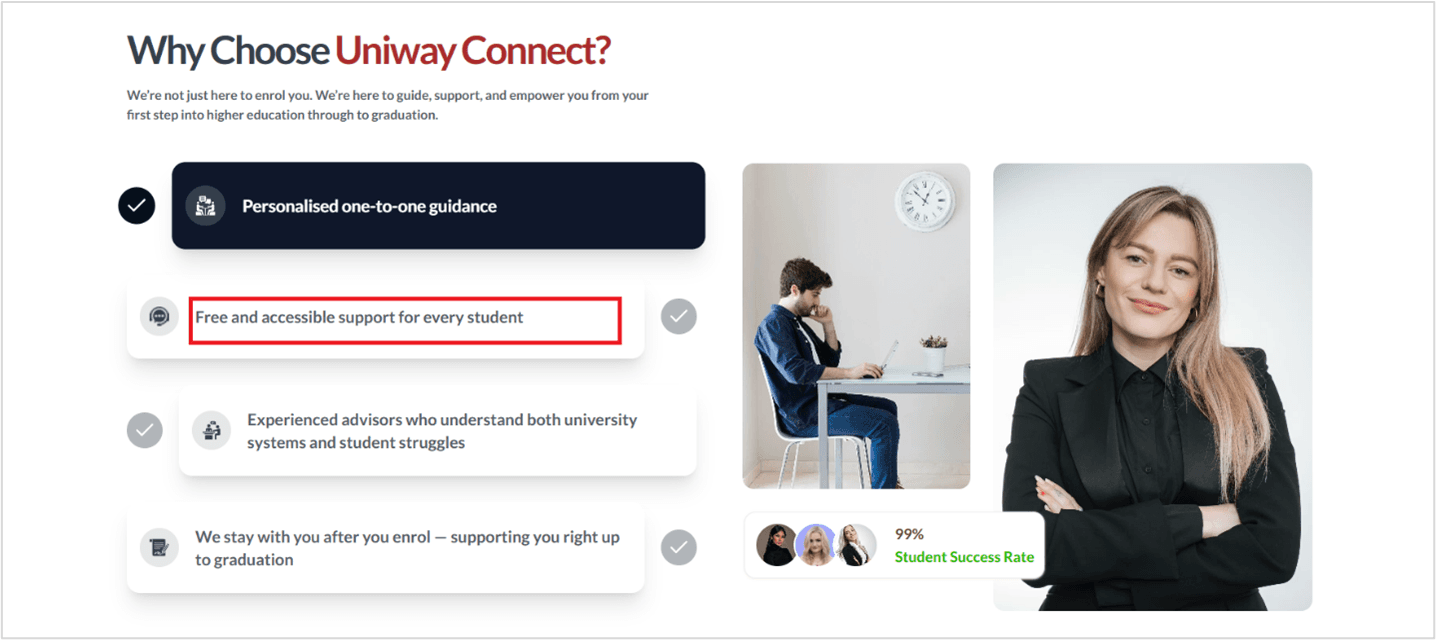
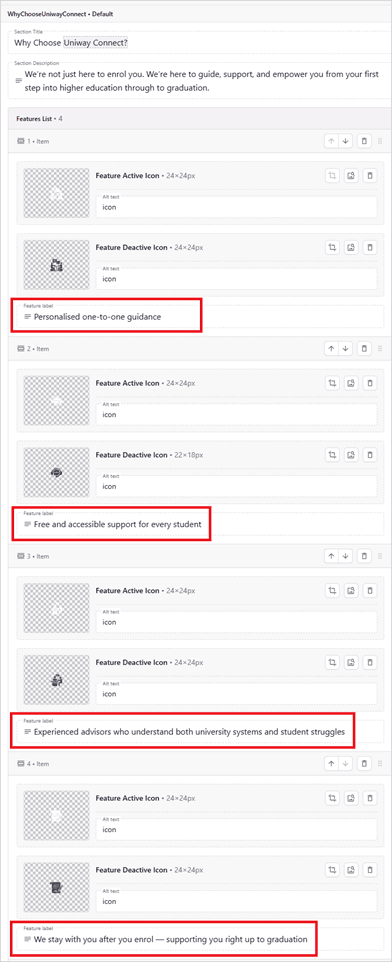
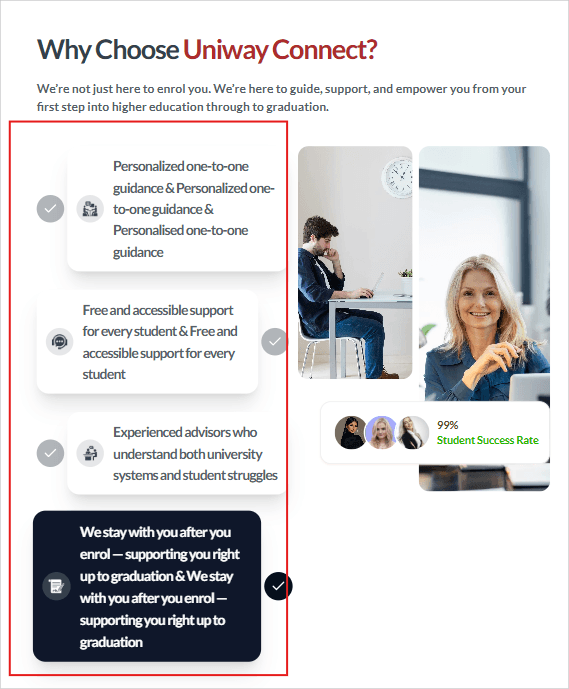
Keep labels and descriptions short to avoid wrapping and layout shifts.
Issues to watch
- Long labels can wrap and break card alignment.
- Keep supporting text concise for a clean grid.
5. Content Management Best Practices
Quick checks that prevent 90% of layout issues.
Text Length
Keep content within the layout.
- Titles: max 2 lines
- Labels: max 1 line
- Descriptions: concise
- Preview before publish
Images
Maintain consistency & quality.
- High-quality (≥ 1200px wide)
- Compressed for web
- Consistent aspect ratios
- Descriptive alt text
Prismic Workflow
Keep changes safe and reviewable.
- Save drafts first
- Use preview to verify layout
- Check mobile before publish
- Keep backups for critical pages
6. Common Issues
Fast fixes for common mistakes.
Text Overflow
Layout breaks due to long text.
Keep titles to 2 lines and labels to 1 line. Verify using the Prismic preview.
Blurry Images
Low-resolution assets.
Upload higher-resolution images (≥ 1200px wide) and compress them for web.
Layout Looks Wrong
Spacing/alignment feels off.
Re-check preview and test mobile. If needed, clear cache and re-open the page.
Need Help?
If you encounter any issues or need assistance with updating the website, please contact the technical team.
Contact Us